Table for 4
Review›
 Spot MK
For business owners
Spot MK gives your business a dedicated app where customers find you, request reservations, and get instant updates — while you control every booking from one place.
Free to set up. Your customers book via iOS and Android.
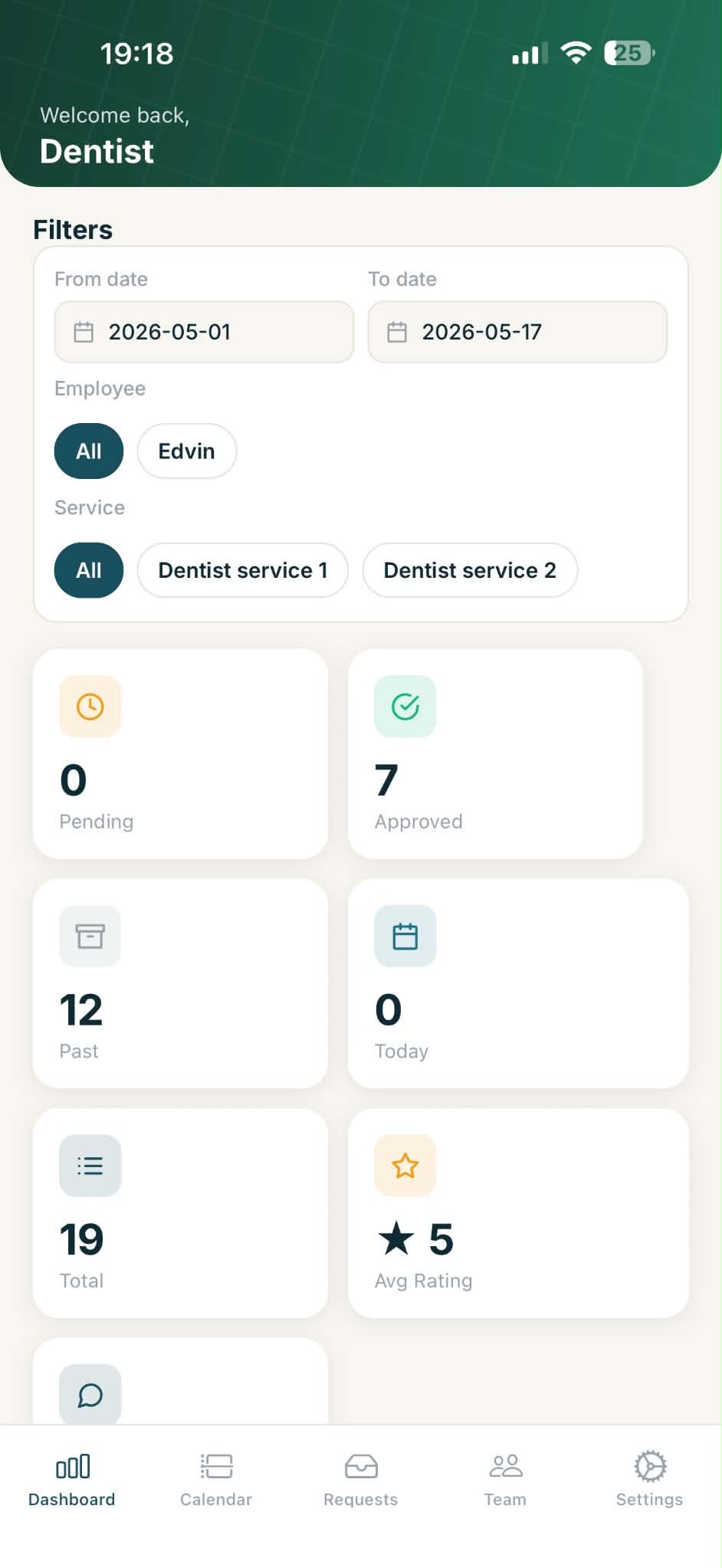
Table for 4
One clear next move.
No more juggling phone calls, notebooks, and messaging apps. Spot MK brings reservation requests, your calendar, team schedules, and customer communication into one clear business view.
See how it worksReservation requests
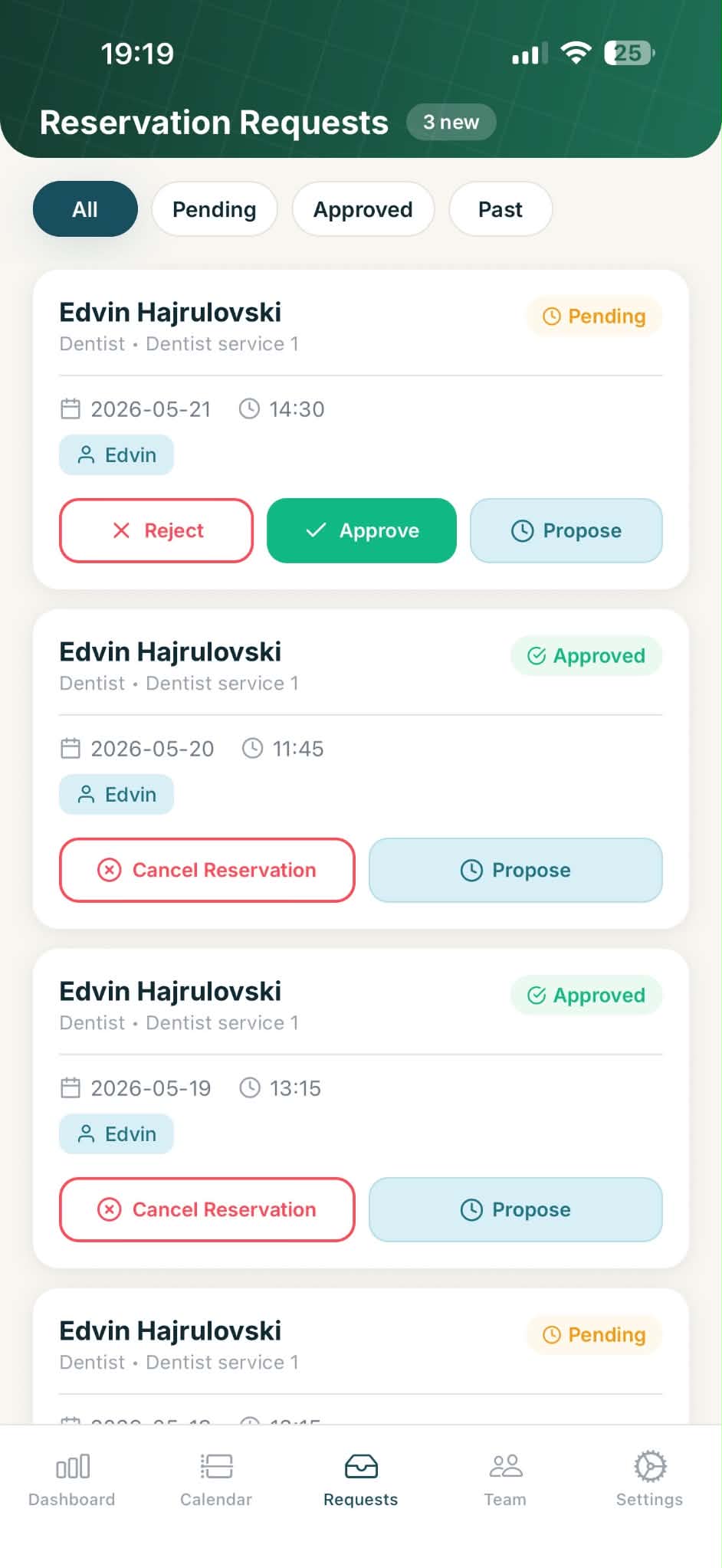
When a customer requests a reservation, you see the full details: who they are, the date, time, service, and assigned staff member. Then you decide what happens next.
Calendar view
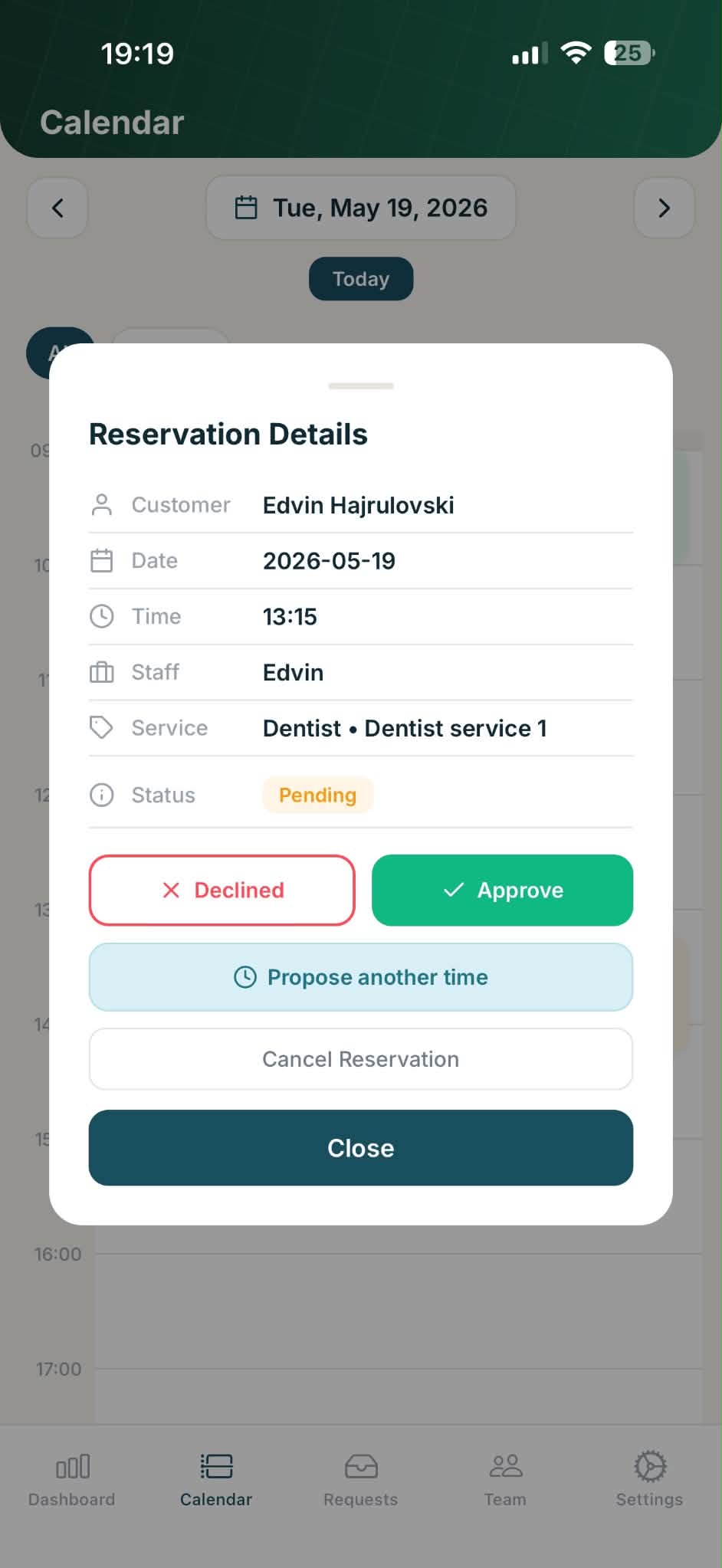
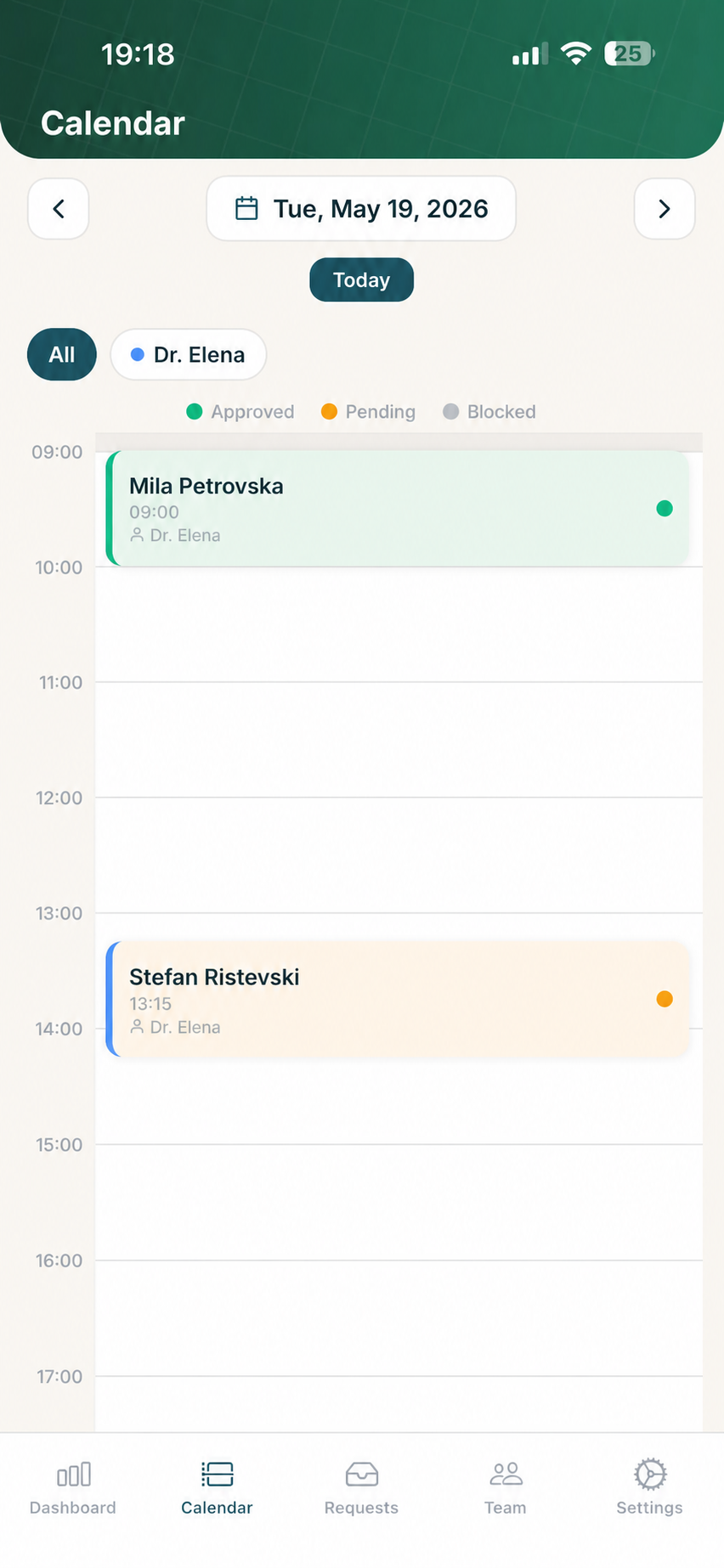
Every approved reservation appears on your daily calendar, color-coded by status. Filter by staff member to see individual schedules. Tap any booking to view details or take action.
Green means approved. Orange means pending — waiting for your response. Gray means blocked. Your day's plan is always clear.
See bookings laid out hour by hour across your working day.
See one team member's schedule or everyone at once.
Open any reservation to approve, reschedule, or cancel it.
Availability & capacity
Set your opening hours, define your services, and limit how many bookings can happen at once. Customers only see times that actually work for your business.
Set different hours for each day of the week. Customers can only book during your active times.
Define what you offer — haircuts, dental cleanings, consultations — so customers pick the right service when booking.
Limit simultaneous bookings so you never overcommit. Your schedule stays realistic.
Set the maximum group size you can accommodate, so customers know what's possible before they book.
Dashboard
See how many reservations are pending, approved, completed, and scheduled for today. Filter by date range, employee, or service to understand your business patterns.
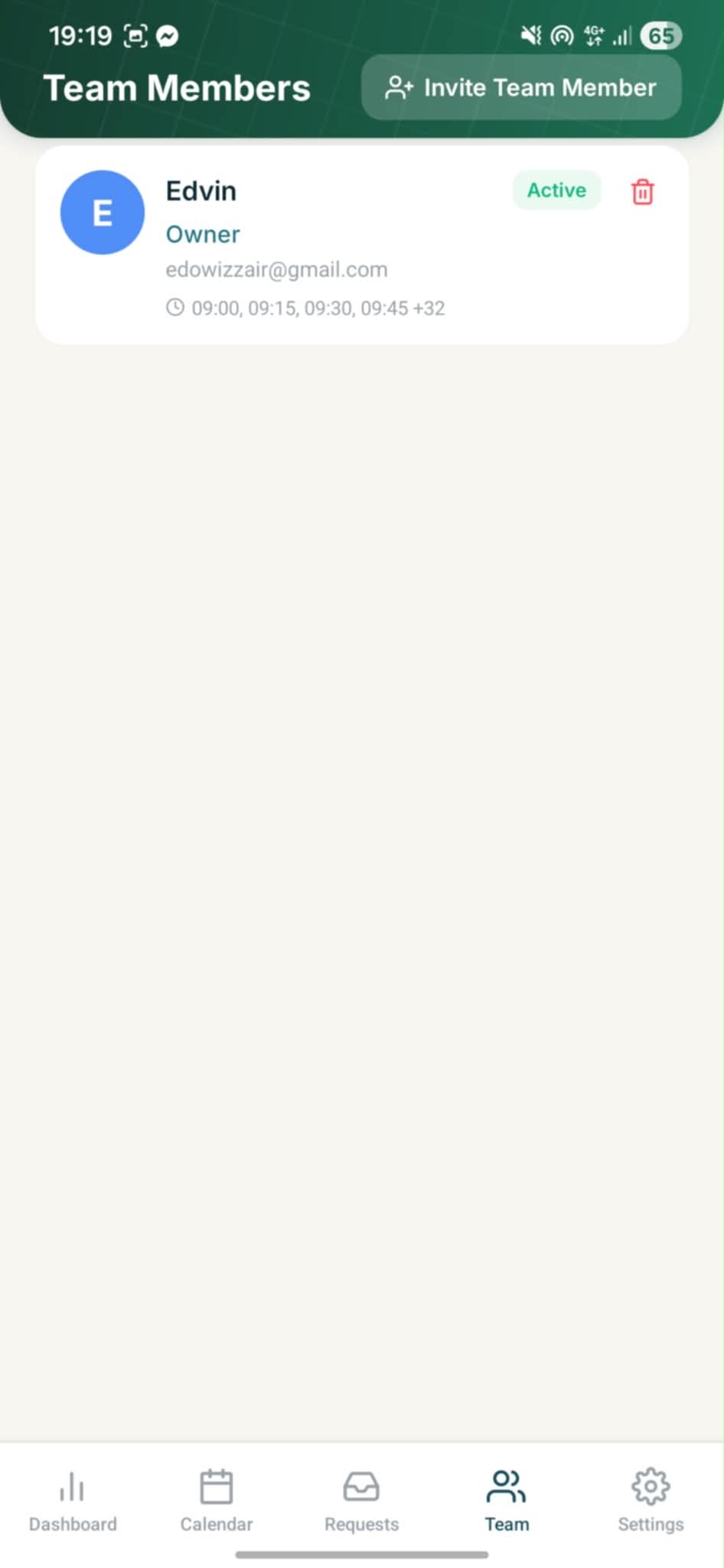
Team management
Invite team members by email, set their roles (owner or worker), and define their available time slots. When a customer books, they're assigned to the right person automatically.
Whether you run a restaurant, salon, clinic, or any service that needs scheduled appointments — Spot MK works for you.
Manage table reservations, set party sizes, and keep your dining room running smoothly.
Let clients pick their stylist and time slot. Each team member sees only their own bookings.
Schedule patient appointments by doctor, service, and time. Keep your calendar conflict-free.
Offer multiple services and therapists. Customers see real availability and book what's open.
Manage class bookings, personal training slots, and studio capacity in one view.
If your customers need to book a time with you, Spot MK can organize it.
Setting up takes minutes, not days. No special hardware, no contracts.
Sign up, add your business name, address, services, and working hours. Upload a photo so customers recognize you.
Define when you're open, how many bookings you can handle, and invite team members so they can see their own schedules.
Your business appears in the Spot MK app. Customers browse, pick a time, and send a reservation request. You approve it from your phone — done.
They find you in the Spot MK app, see your services, hours, and reviews.
They pick a date, time, and service. You get a notification immediately.
Approve, decline, or propose a different time. The customer is notified instantly.
The booking shows up on your daily timeline, assigned to the right team member.
Yes. Setting up your business profile, managing reservations, and adding team members is free.
Any business that takes reservations or appointments — restaurants, salons, barbershops, clinics, spas, fitness studios, and more. If your customers need to book a time with you, Spot MK works.
Customers can use the Spot MK app on iOS or Android to discover businesses and make reservations. They can also access it through the web.
Yes. Invite your team by email. Each member gets their own view of assigned bookings and can manage their availability. You stay in control as the owner.
Once your profile is approved, it appears in the Spot MK explore and nearby sections. Customers can browse by location and see your services, hours, and reviews.
Absolutely. You set your working hours, services, booking capacity, and maximum party size. Customers only see available times that fit your rules.
Join Spot MK and give your customers a simple way to book — while you stay in control of every reservation.
Register your businessFree to set up · No contracts · Works on any phone